Month One,
Done.
You've been meaning to do this for years. The photos are there — thousands of them, maybe tens of thousands — and somehow there's still nothing on the shelf. You weren't failing. You were living it. Now let's actually do the thing, together, in 90 minutes.
There's a book you've been meaning to make.
Maybe it's from this year. Maybe it's from three years ago. Maybe it's from when your youngest was born and you kept thinking you'd get to it once things settled down, and now she's six and you still haven't.
It's not that the memories aren't there. They're all there, on your phone, in your camera roll. Last summer at the beach. The birthday cake that went sideways. That random Tuesday that somehow turned into the best day. You captured all of it.
You just never did anything with it.
And now there are so many photos — maybe a few thousand, maybe closer to a hundred thousand — that even thinking about where to start makes you want to close the tab.
You've probably tried to fix this. You downloaded the app. You tried the cleaning tool that was supposed to find your duplicates. Maybe you even asked an AI to sort your camera roll for you. None of it worked, because none of it knows your story. None of it knows that the blurry one is actually the one you want to keep, or that the photo of your kids sitting on the floor is from the day everything changed.
That's not something an app can decide. That's yours.
This workshop gives you the system to do it yourself — simply, quickly, and in a way that actually sounds like you.
A 90-minute memory keeping workshop where we actually do the thing.
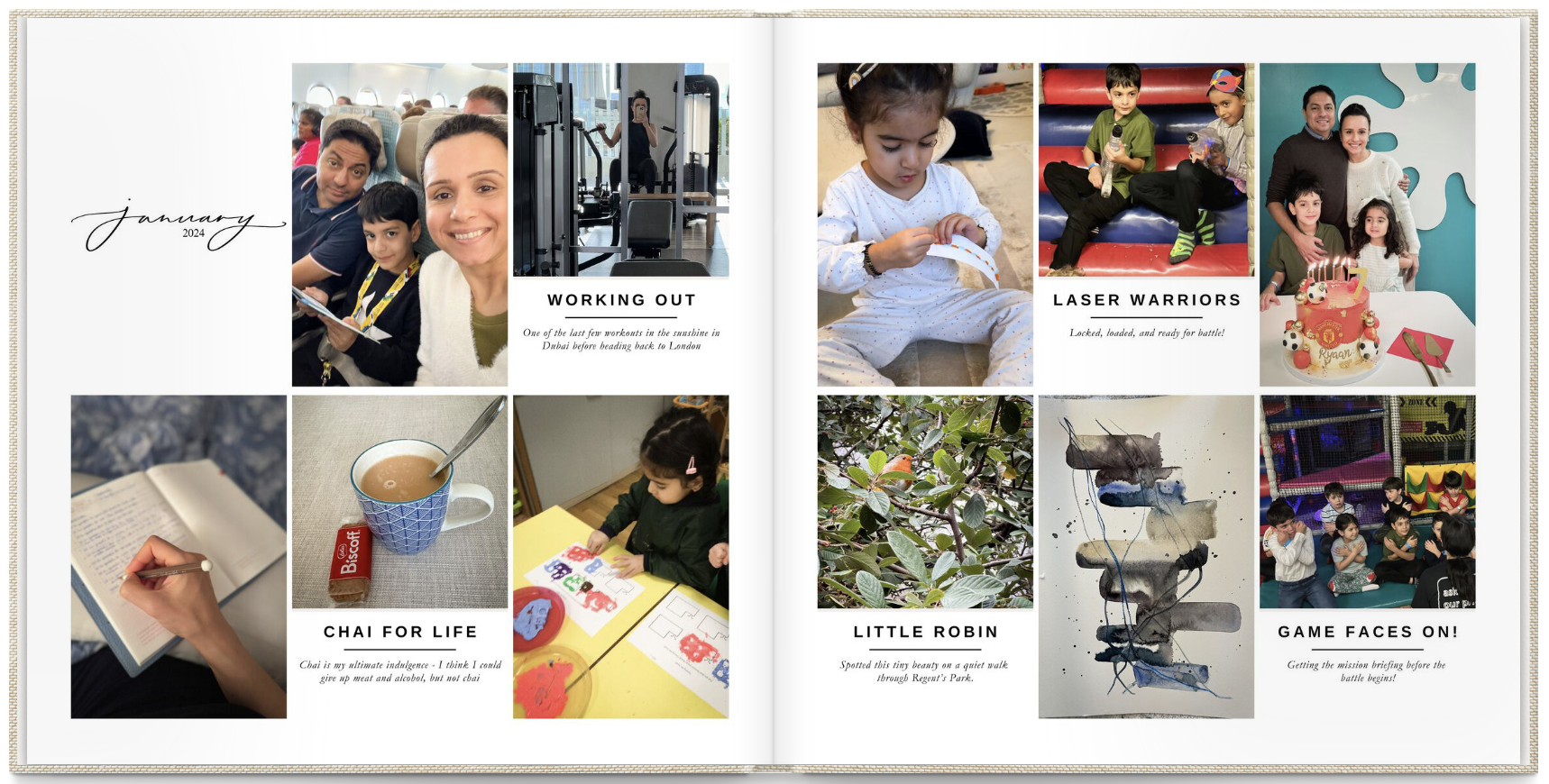
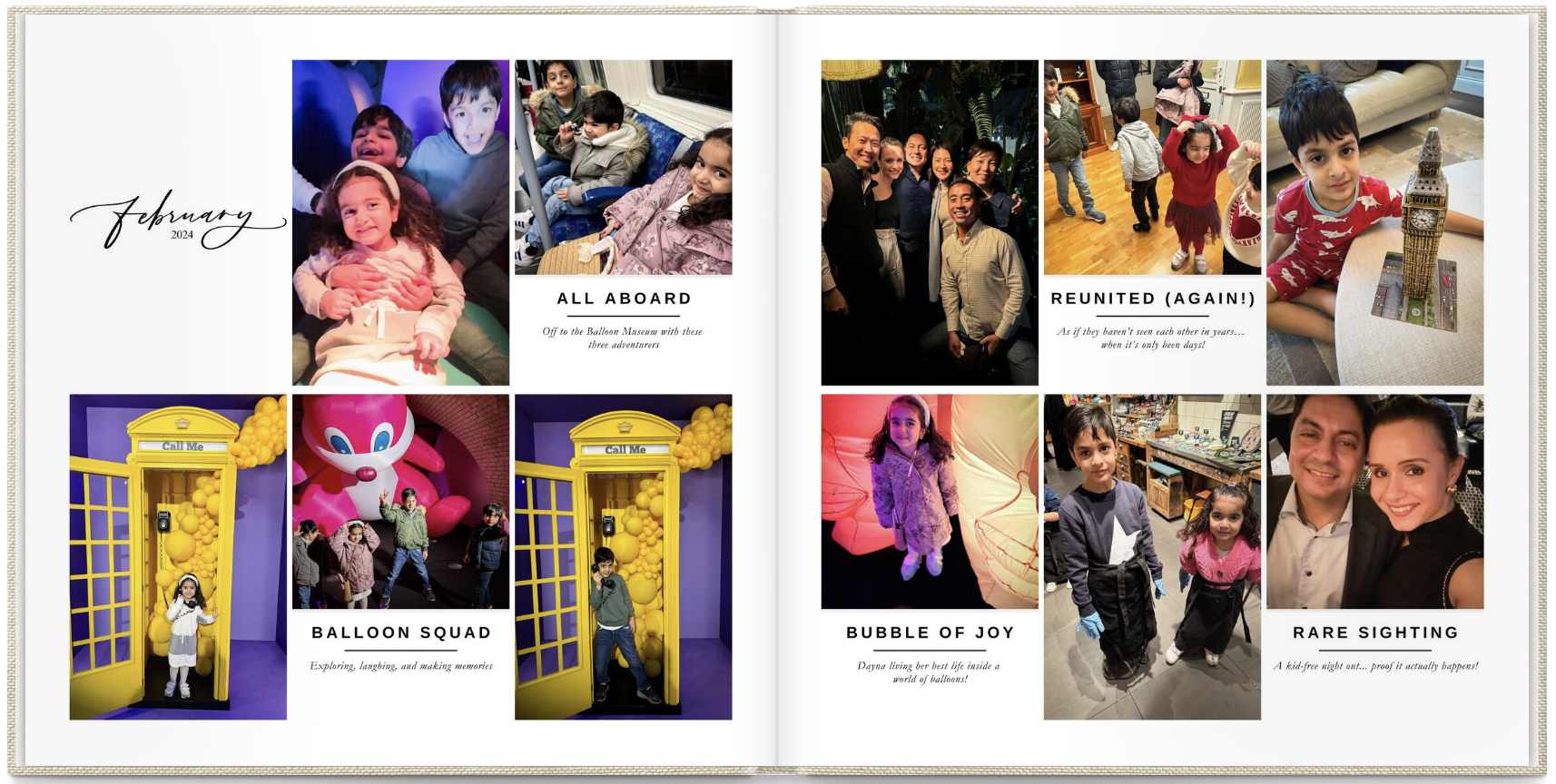
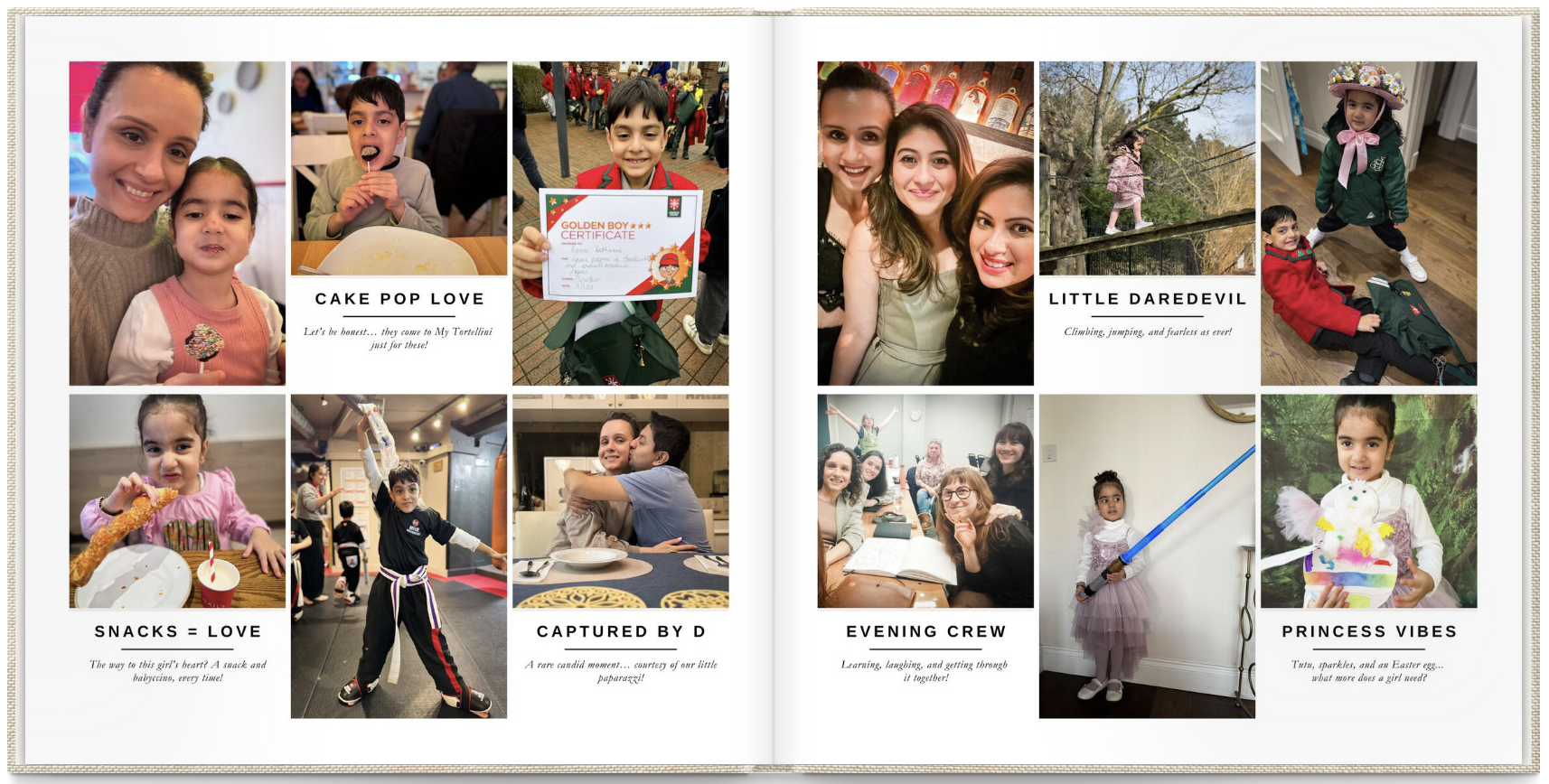
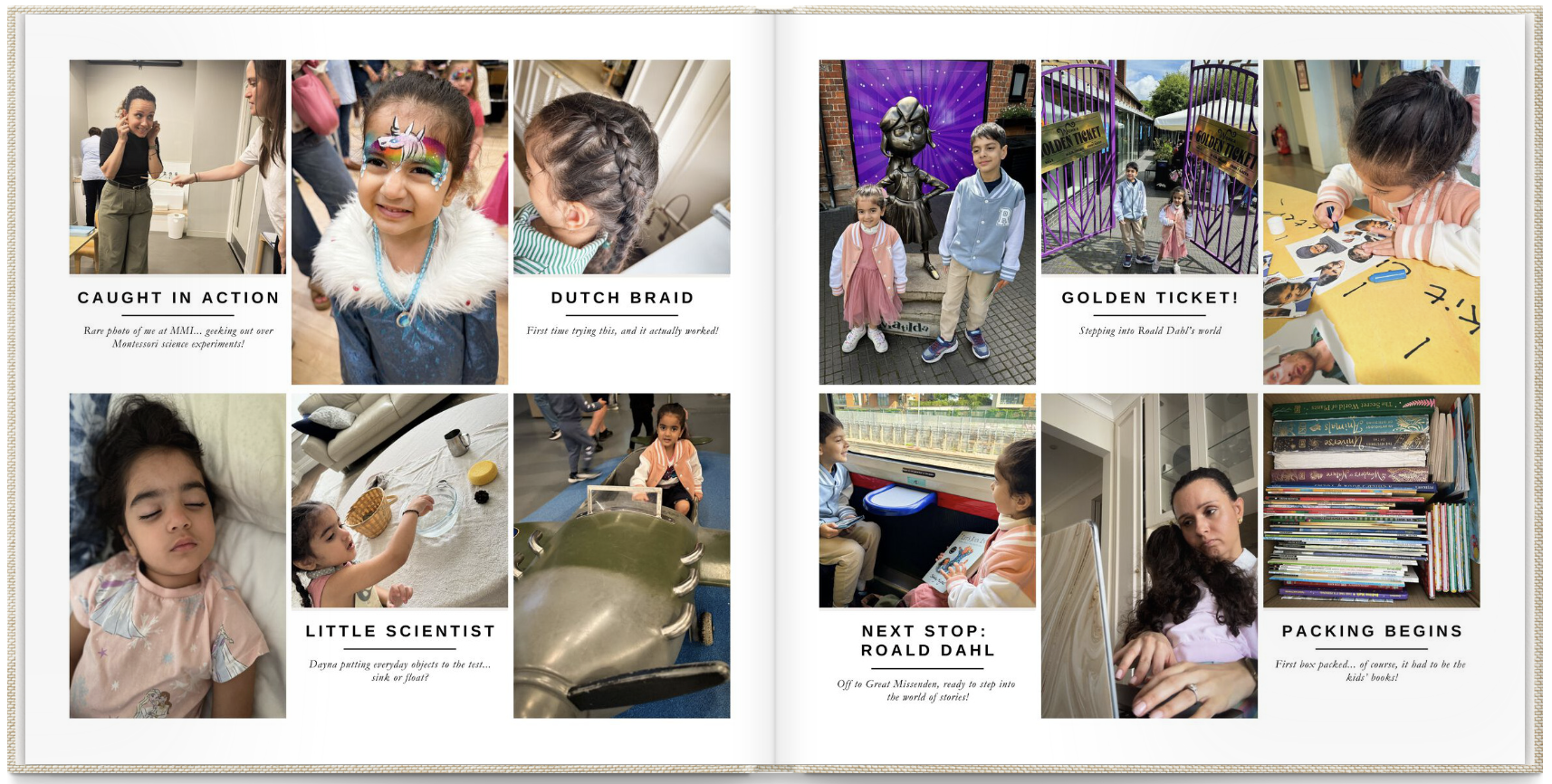
Join us for a 90-minute live workshop where you'll learn the Scroll to Shelf Method. We'll document one complete month together, live on Zoom. And by the end, you'll have the exact process to finish the rest of the year on your own.
We sit down together and we do it. Right there, in the workshop, it gets done.
Some mums work on something from this year. Some go back and rescue a month they've been meaning to capture for years. You don't need to have your photos organised beforehand. You don't need to have decided which month you're doing, or whether to sort things by year or by trip or by occasion — we'll work that out together. Either way, you leave with something real, something you can actually print and put on your shelf.
Imagine this.
Imagine opening your camera roll and knowing exactly what to do.
Sitting down, doing it, and closing your laptop with something actually finished.
One month of your family's life, captured before it fades.
That's what happens inside Month One, Done.
One month of your family's life. Finished.
By the end of our 90 minutes together, you'll have chosen your photos for one month, written your captions, and have a set of finished pages ready to send to print. But the bigger thing is this: you'll have learned the process. One month done. And then you'll know exactly how to do it again for the other eleven months.
And if you're further behind than one year — if it's been three years, five years, a decade — that's fine too. One month at a time is still how you fix it. Some mums leave this workshop and do a month a day until they've caught up. It's more doable than it sounds.
That's the whole point of this workshop. You'll leave with one finished month and the blueprint for finishing the rest.
Here's what we do on the day.
Choose your photos
I'll show you exactly how to go through your camera roll and pull out the ones worth keeping. This is the step that stops most people before they even begin, because standing in front of 50,000 photos with no system is genuinely overwhelming. I give you three questions to ask yourself for every photo — once you have those, the whole thing gets simple. You aim for 18 to 36 photos and you'll have them selected in under 20 minutes.
Edit, if you want to
A little crop, a little light. Completely optional. But it's the difference between a photo that sits there and one that makes you stop and actually look.
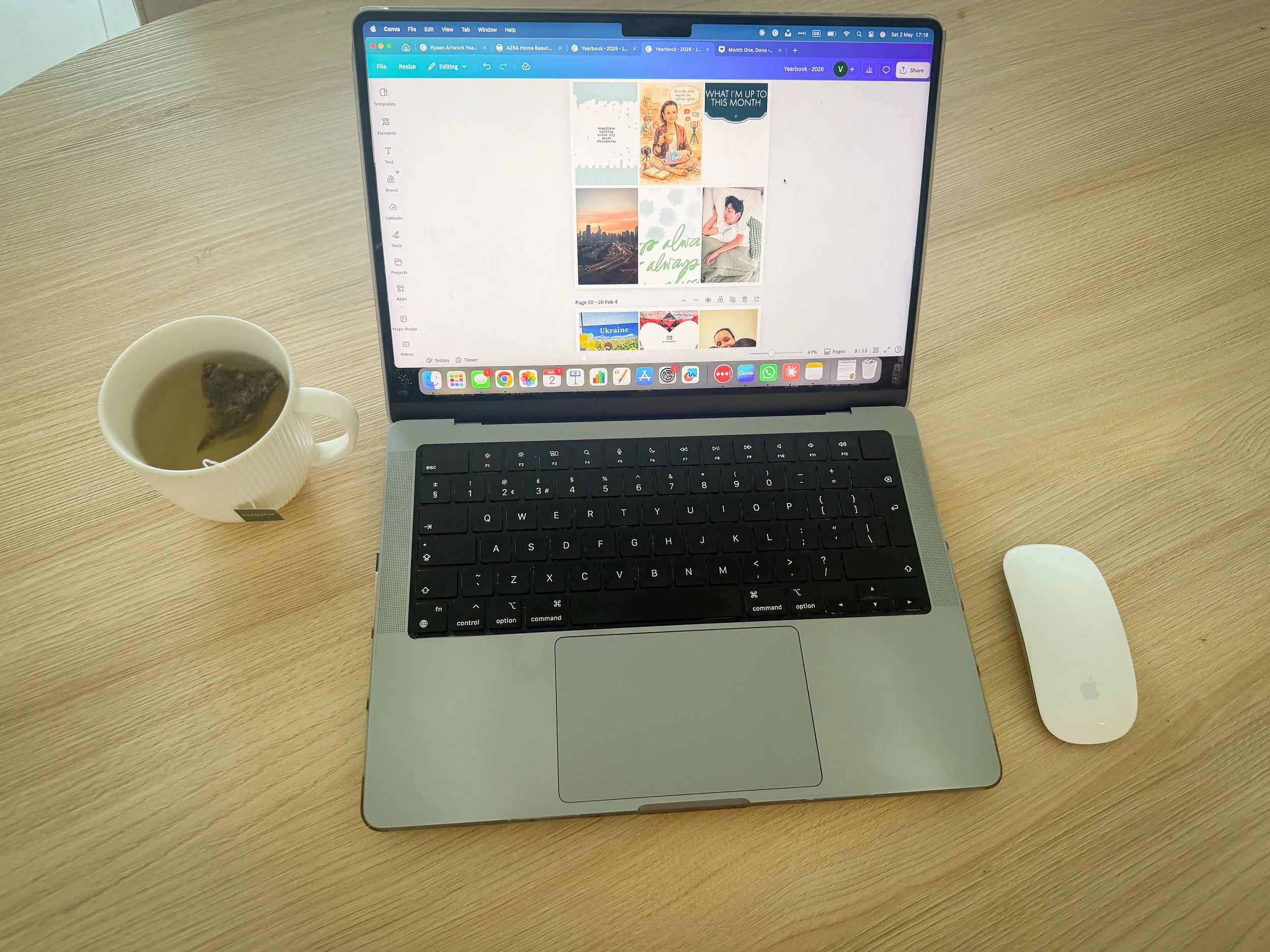
Open the template
I'll send it to you before the workshop so we're ready to go on the day. You drag your photos in, arrange them, and suddenly it starts looking like something real. This is usually the moment people go quiet for a second because they can't believe how quickly it comes together.
Write the captions
This is the part most people dread and the part that used to take me hours. Now it takes me thirty seconds per photo. I'll show you exactly how, using AI to get you started so you're never staring at a blank box wondering what to say. The captions still sound like you — the AI just helps you get unstuck.
One month. Done.
You close your laptop with finished pages in hand. That's it. You actually did the thing.
This is for you if...
Your camera roll is full of photos you've done nothing with. It doesn't matter whether your kids are one or eleven, or whether you're one year behind or seven — the photos are piling up either way and the gap between capturing moments and doing something with them keeps getting wider.
You've told yourself you'll get around to it. You've bought the app. You've tried the organising tool. You're someone who cares about this deeply and keeps running out of time, energy, and knowing where to begin.
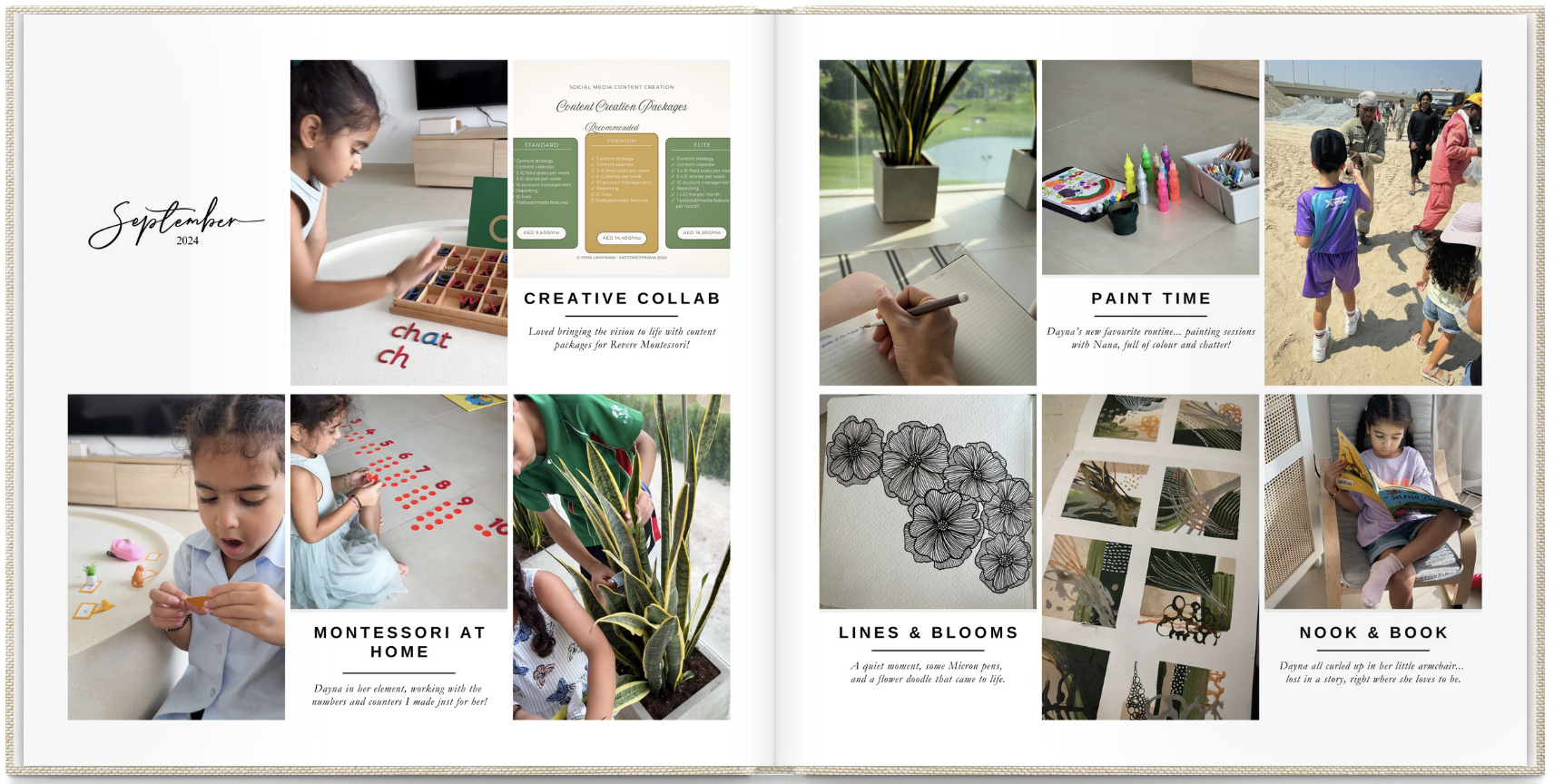
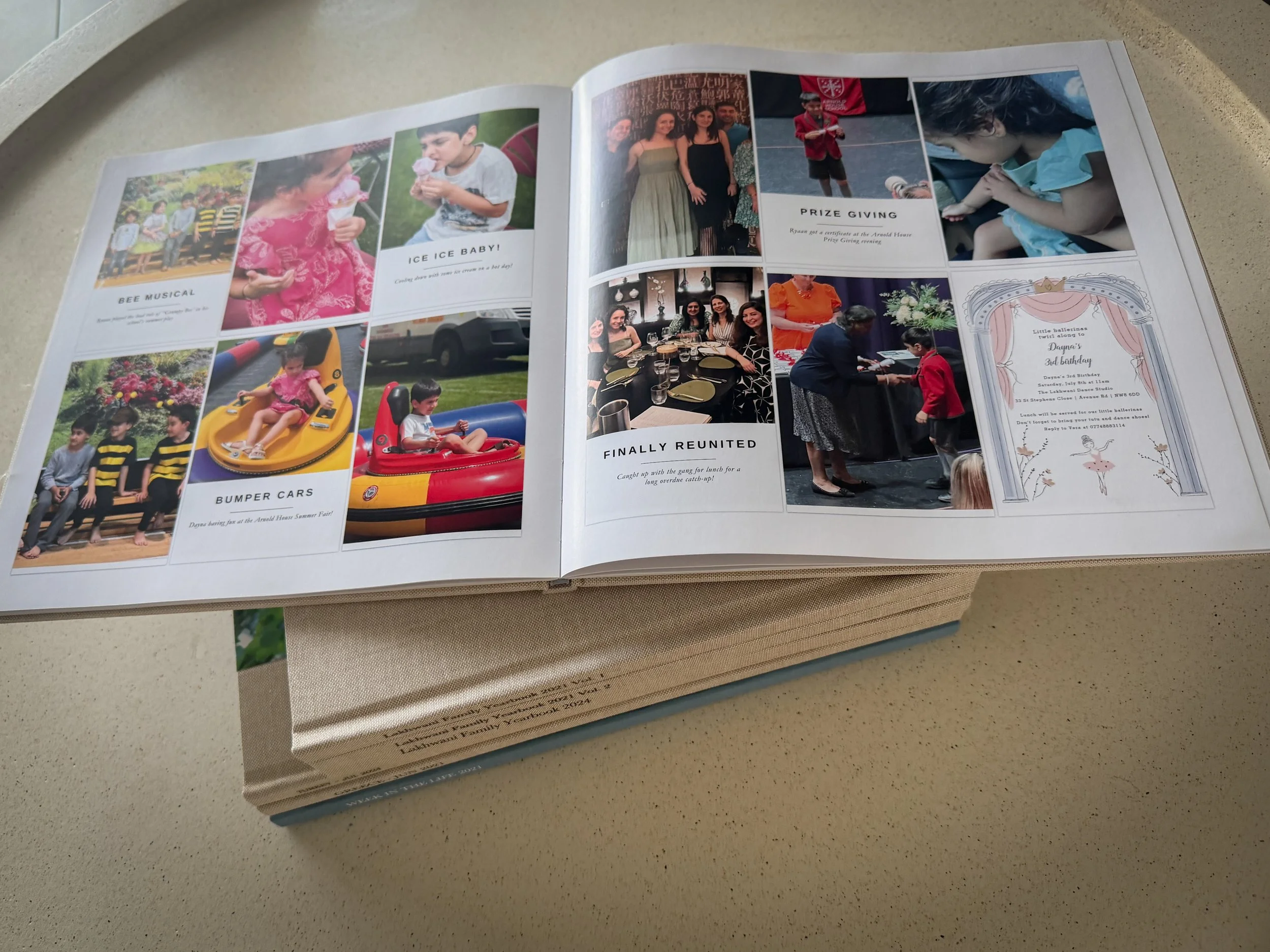
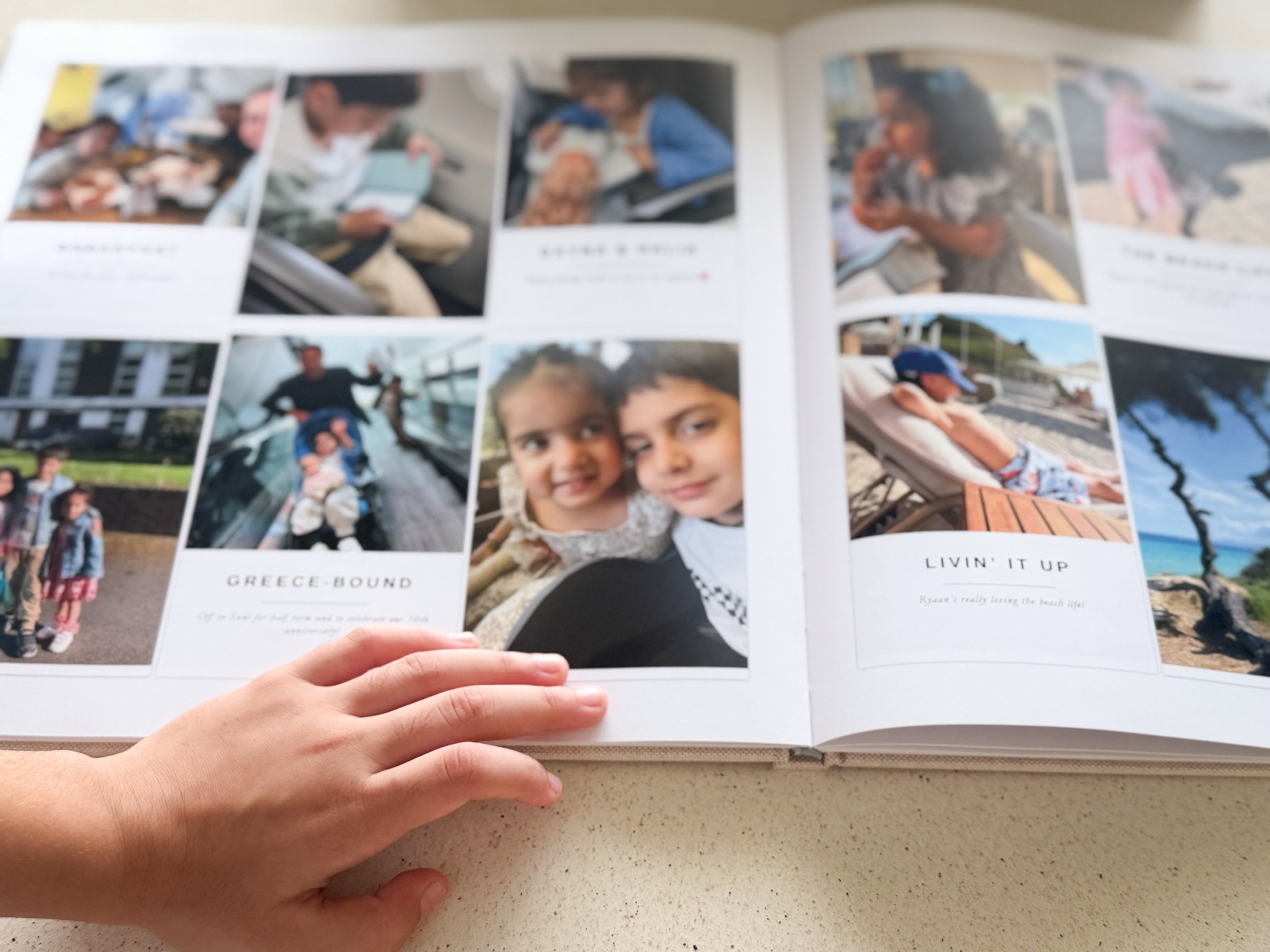
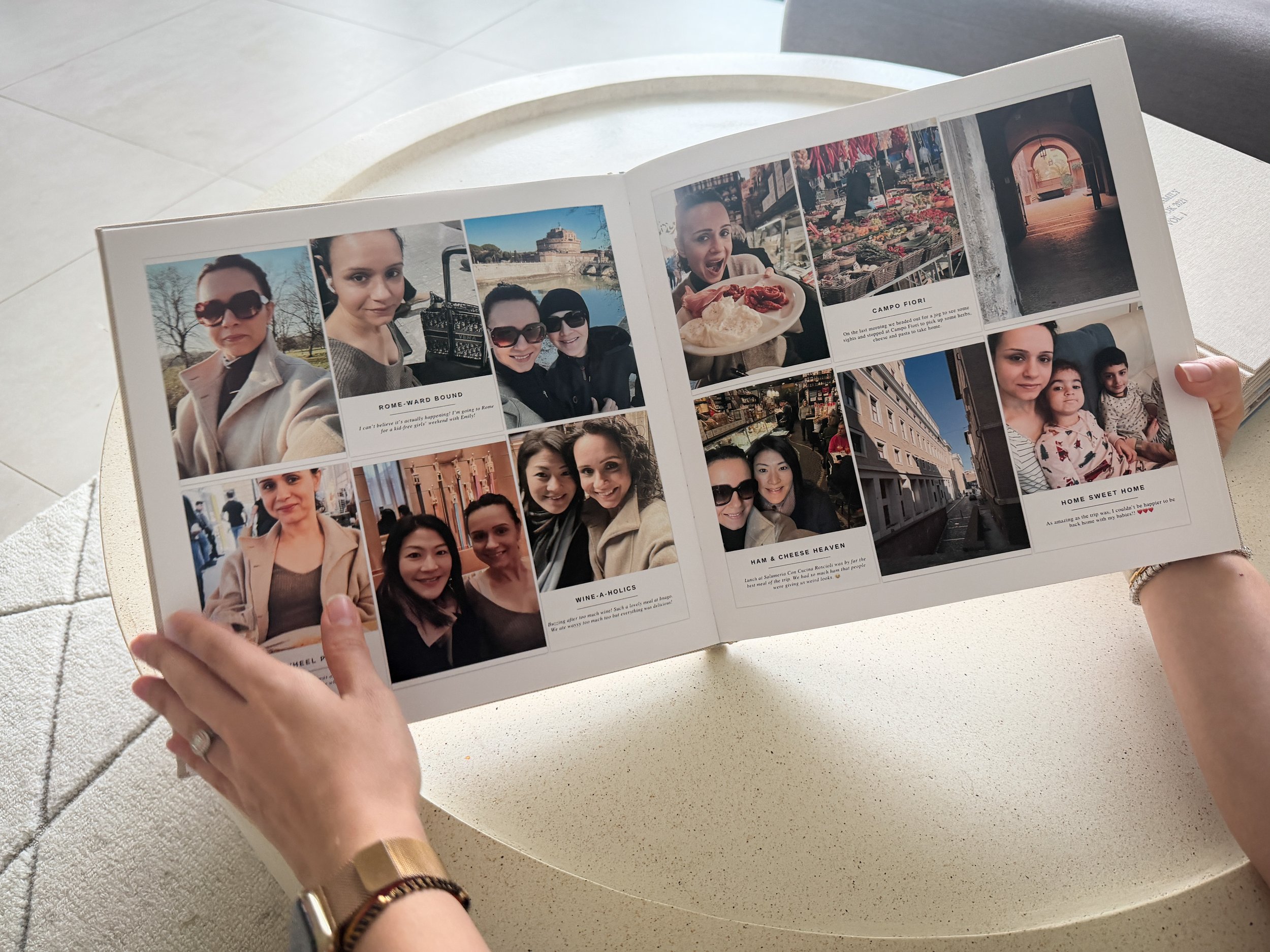
You want something you can actually hold in your hands and put on your shelf. Something real, something your kids pick up and actually look at.
You don't need any design experience for this. You don't need a paid Canva account. You don't need to have your photos organised beforehand or have already decided how you want to structure things. You just need to show up and I'll walk you through the rest.
This is the wrong fit if you want an elaborate, heavily designed scrapbook. This is a simple, beautiful, completely doable system for mums who want their memories documented without it becoming another thing that never gets finished.
The Investment
250 AED after early bird closes
- 90-minute live workshop on Zoom
- The Canva template, sent to you in advance
- Step-by-step guidance through every part of the Scroll to Shelf Method
- Recording available as backup
One afternoon. One month of your family's life, captured before it's gone.
I'm Vera.
I'm an AMI Montessori-trained parenting coach and the founder of East2WestMama. I've been making family memory books for nearly ten years. I have a shelf full of printed family yearbooks at home and my kids ask to look at them constantly.
I'm a mum who figured out a memory keeping system that actually works around a real life, around school pickups and work deadlines and the kind of weeks where you just survive and that's enough.
I created this workshop because I know the feeling of having thousands of photos and nothing to show for them. And I know how good it feels to finally fix that. I want you to have that feeling by the time you close your laptop.
A few things you might be wondering.
How long is the workshop?
90 minutes live on Zoom. I'd clear a little buffer either side so you're not rushing in or out.
Do I need Canva experience?
Not at all. I'll walk you through everything on the day. If you've never opened Canva in your life, that's completely fine.
Do I need a paid Canva account?
The free version works perfectly. You don't need to upgrade anything.
What AI tool do I need?
Whatever you already use. Claude, ChatGPT, even the free version of either. I'll show you exactly what to type so your captions sound like you, not like a robot.
Which month do we document?
Any month you choose. Some people start with something recent, some go back and rescue a month that's been sitting there for years. And if you're not sure how to organise everything — by year, by trip, by occasion — we'll figure that out together on the day.
I'm really far behind. Is it too late?
It's not too late. Some mums come in with a year's backlog. Some have five or more. The method is the same either way — one month at a time — and once you've done it once, you'll know exactly how to keep going. A month a day and you can catch up faster than you think.
What if I can't make it live?
A recording will be available, but I'll be honest with you. The mums who show up live are the ones who leave with something finished. The recording is there as a backup, not a plan.
When is it?
Friday 12th June at 10am GST.
Another year is already happening. The photos are piling up.
Somewhere in your camera roll are months that are already starting to blur at the edges because that's what time does when you're not looking. You didn't miss those moments. You were there for all of them. You just never had a system for what to do with them afterwards.
That's all this is. 90 minutes. One month done. And then you've got everything you need to finish the rest — this year, last year, the years you thought were gone.
Come and do the thing you've been meaning to do for years.
Price goes to 250 AED when early bird closes.